How to Read a Mortgage Amortization Schedule Line by Line
Why Does My First Mortgage Payment Barely Lower My Loan?
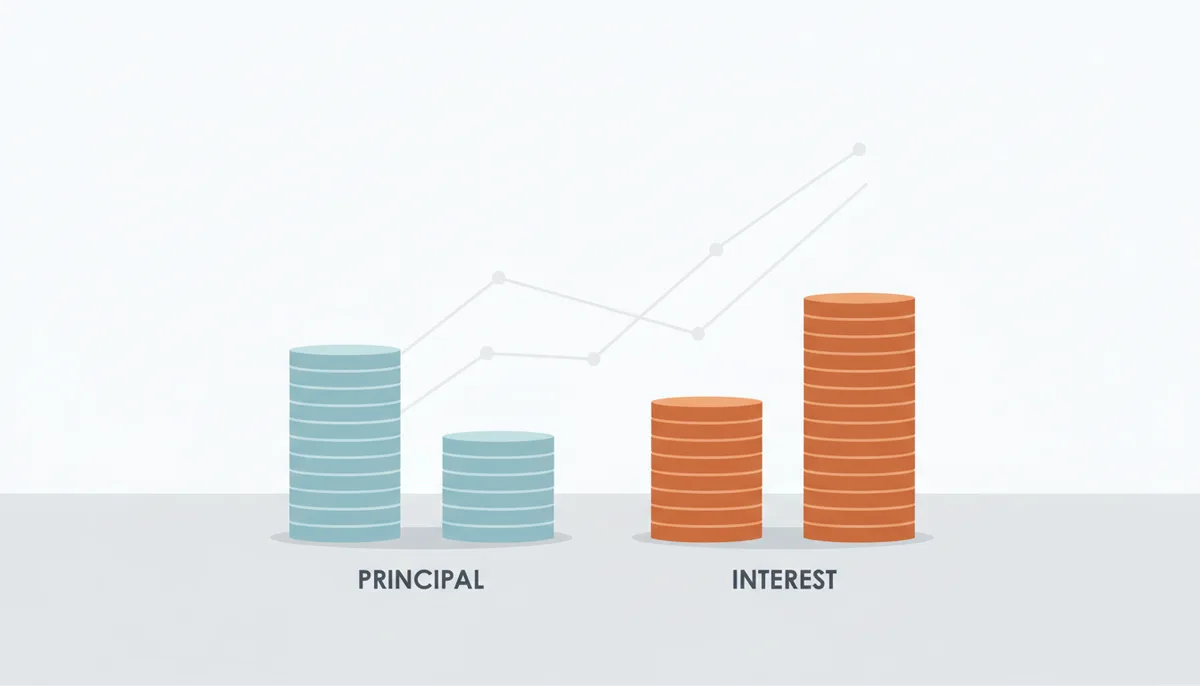
Last month, you closed on a $400,000 home, took out a 30-year fixed mortgage at 6%, and your first monthly payment cleared for $2,398.20. You logged into your loan portal expecting to see a big drop in your $400k balance—instead, it was only $398.20 lower. That’s not a typo. You’re not being scammed. That’s how mortgage amortization works, and it’s the most counterintuitive part of homeownership in the first few years.
Interest for mortgages is front-loaded. Think of it like rent on the money you borrowed. When you take out that $400k, the bank charges you for every month they lend you that full amount first. The actual principal—your share of paying back the home—only gets a tiny slice of your payment at the start. It feels like you’re throwing money away at first, but that’s not the case. Every small principal payment adds up, and over time, the balance drops faster and faster.
This isn’t a quirk of your loan. It’s standard for all amortizing mortgages, the most common type for home purchases. You’ll see this pattern play out in every single row of your amortization schedule, if you know how to read it.
What Is an Amortization Schedule and Where Do I Find It?
An amortization schedule is a line-by-line roadmap of every payment you’ll make over your loan term. It shows exactly how much of each payment goes to principal (what you owe on the home itself) and how much goes to interest (the cost of borrowing the money). It also tracks your balance after each payment, so you can see exactly how your debt shrinks over time.
You have two main sources for this document. First, your official schedule lives in your closing paperwork from the home purchase—lenders are required to provide it before you sign. Second, you can find an up-to-date version in your loan servicer’s online portal, usually under “loan details” or “payment history.”
If you’re shopping around or planning for future extra payments, you can generate a model schedule for free using CalculatorLine’s mortgage calculator. It’s a great way to test scenarios before committing to a loan, but remember: the servicer’s official schedule is the final word, because it includes details specific to your closing date and per diem interest for partial months.
The Anatomy of the Schedule: Decoding the Columns
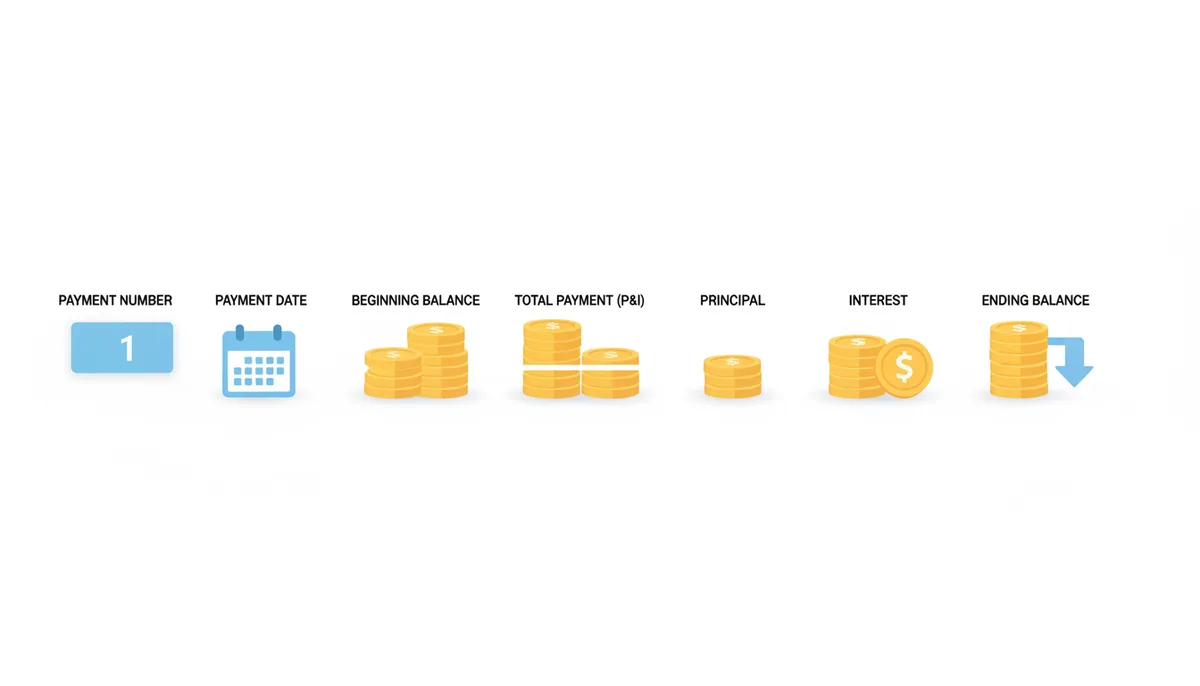
Every standard amortization schedule has seven core columns, in a consistent order. You only need to know each to decode every line:
- Payment Number: The count of your monthly payments, starting at 1 for your first payment. This lets you track how far into your term you are.
- Payment Date: The date your payment is due or cleared. Not critical for the math, but helpful for reconciling payments.
- Beginning Balance: What you owed on your loan before this payment was applied. For your first payment, this is the full original loan amount.
- Total Payment (P&I): The fixed amount you pay each month toward principal and interest only. This is not your full monthly house payment—we’ll cover that gap later.
- Principal: The portion of your payment that goes toward paying down your loan balance. This is the part that builds your equity.
- Interest: The portion that goes to the lender as a fee for borrowing money. It’s calculated monthly, based on your current balance.
- Ending Balance: What you owe after this payment. It’s always Beginning Balance minus Principal, a simple equation that lets you check for errors on the schedule.
Don’t skip over these columns just because they look familiar. Mixing up the “Total Payment” column with your actual monthly bill is one of the most common mistakes new homeowners make.
Your First Year of Payments: A Line-by-Line Walkthrough
Let’s use the $400,000, 6% 30-year loan we mentioned earlier to walk through the first 12 payments, plus their totals, to show how the schedule develops. This example uses exact real-world numbers, so you can apply the pattern to your own loan.
Payment 1: Beginning Balance = $400,000. Interest = $400,000 * (6%/12) = $2,000. Fixed P&I payment is $2,398.20, so Principal = $2,398.20 - $2,000 = $398.20. Ending Balance = $400,000 - $398.20 = $399,601.80.
| Payment Number | Beginning Balance | Interest | Principal | Ending Balance |
|---|---|---|---|---|
| 1 | $400,000.00 | $2,000.00 | $398.20 | $399,601.80 |
| 2 | $399,601.80 | $1,998.01 | $400.19 | $399,201.61 |
| 3 | $399,201.61 | $1,996.01 | $402.19 | $398,799.42 |
| 4 | $398,799.42 | $1,994.00 | $404.20 | $398,395.22 |
| 5 | $398,395.22 | $1,991.98 | $406.22 | $397,989.00 |
| 6 | $397,989.00 | $1,989.95 | $408.25 | $397,580.75 |
| 7 | $397,580.75 | $1,987.90 | $410.30 | $397,170.45 |
| 8 | $397,170.45 | $1,985.85 | $412.35 | $396,758.10 |
| 9 | $396,758.10 | $1,983.79 | $414.41 | $396,343.69 |
| 10 | $396,343.69 | $1,981.72 | $416.48 | $395,927.21 |
| 11 | $395,927.21 | $1,979.64 | $418.56 | $395,508.65 |
| 12 | $395,508.65 | $1,977.54 | $420.66 | $395,087.99 |
Over the first year (payments 1–12), you’ll pay a total of $23,978.40 in P&I. Of that, $23,846.39 goes to interest, and just $132.01 goes to principal. The pattern is clear here: every month, the interest drops by roughly $2, and the principal rises by roughly that same $2. This slow shift is the core of how amortization works, and it will continue until you hit the crossover point where principal payments overtake interest.
The 'Crossover Point': When Your Principal Payment Finally Overtakes Interest
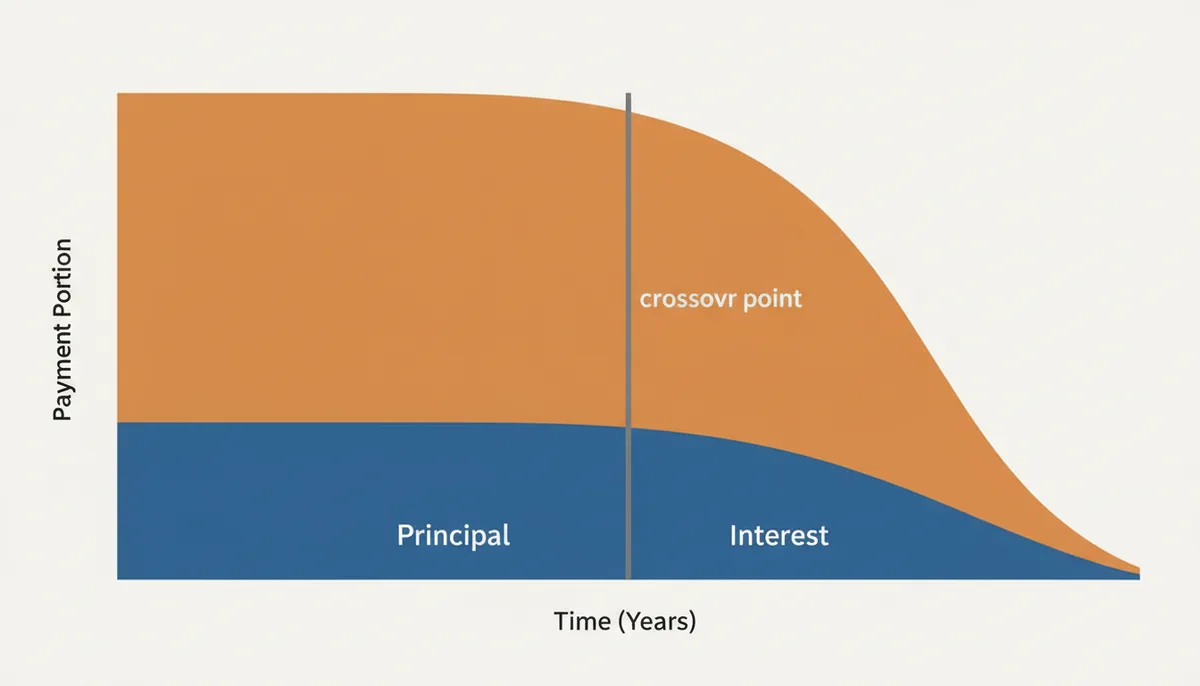
There’s a key milestone in your amortization schedule that changes how you build wealth: the crossover point, the first payment where your principal portion is larger than your interest portion. Before this point, most of your payment goes to the bank’s fee, not your home’s equity. After this, you’re paying more toward your actual loan than the cost of borrowing it.
For our $400,000, 6% 30-year fixed mortgage, this crossover lands at Payment 121—about 10 years and 1 month into your 30-year term. For a 15-year mortgage with the same rate and principal, the crossover is much sooner: Payment 50, or roughly 4 years and 2 months. These numbers are based on exact calculations of principal and interest shifts over time, so they will match your lender’s official schedule.
This milestone matters because it’s the start of accelerating equity growth. Every payment after this puts more money toward your home, not the lender. You’ll also see the balance shrink at a faster pace each month from here on, because the principal slice only gets bigger as interest drops.
How Are the Numbers in the Schedule Actually Calculated?
You don’t need to memorize the formula to read your schedule, but knowing it takes away any doubt about where the numbers come from. The fixed Total Payment (P&I) for your term is calculated using three inputs: your original principal (P), your monthly interest rate (i), and total number of payments (n).
The formula for the fixed payment is: P * (i(1+i)^n) / ((1+i)^n -1). For our $400k, 6% 30-year loan, P is 400,000, i is 0.005 (6%/12), n is 360 (30*12). Plugging those numbers in gives exactly the $2,398.20 we used earlier.
- Interest for the month = Beginning Balance * (Annual Interest Rate / 12)
- Principal for the month = Fixed Total Payment (P&I) - Interest for the month
These are the same numbers your lender uses, so if you double-check them and they don’t match, you can flag an error with your servicer. For example, if your interest is calculated at a different rate than your loan terms say, that’s a problem to address immediately.
What Your Schedule Doesn't Show: PITI, Escrow, and PMI
One of the biggest sources of confusion with amortization schedules is that they only cover Principal and Interest (P&I)—not your full monthly house payment, which is almost always higher. The full amount is called PITI, and it has three extra components you’ll see on your bank statement that don’t appear on the schedule:
- Taxes: Annual property taxes split into monthly installments, held in an escrow account.
- Insurance: Homeowner’s insurance, and if your down payment was less than 20%, Private Mortgage Insurance (PMI) as well. Both go into escrow too.
Let’s go back to our $400k example. If annual property taxes are $3,600 ($300/month) and homeowner’s insurance is $1,800 ($150/month), and you pay PMI of $100/month because your down payment was 10%, your total monthly payment is $2,398.20 + $300 + $150 + $100 = $2,948.20. The amortization schedule will never show that $2,948 number—so don’t budget based on the schedule’s amount alone, or you’ll be short when your bank takes the escrow portion.
How Extra Payments Radically Change Your Schedule
Extra principal payments are the most powerful tool you have to shorten your loan term and save thousands in interest. When you make an extra payment, you need to specify it as “principal-only”—otherwise, your servicer might apply the extra money to next month’s interest or fees, which won’t help you pay off the loan faster.
Every dollar you put toward principal early skips the interest calculation for that month. For example, an extra $200 per month of principal doesn’t just cut your balance by $200—it also means you don’t pay interest on that $200 for every remaining month of your loan. That adds up to huge savings over time.
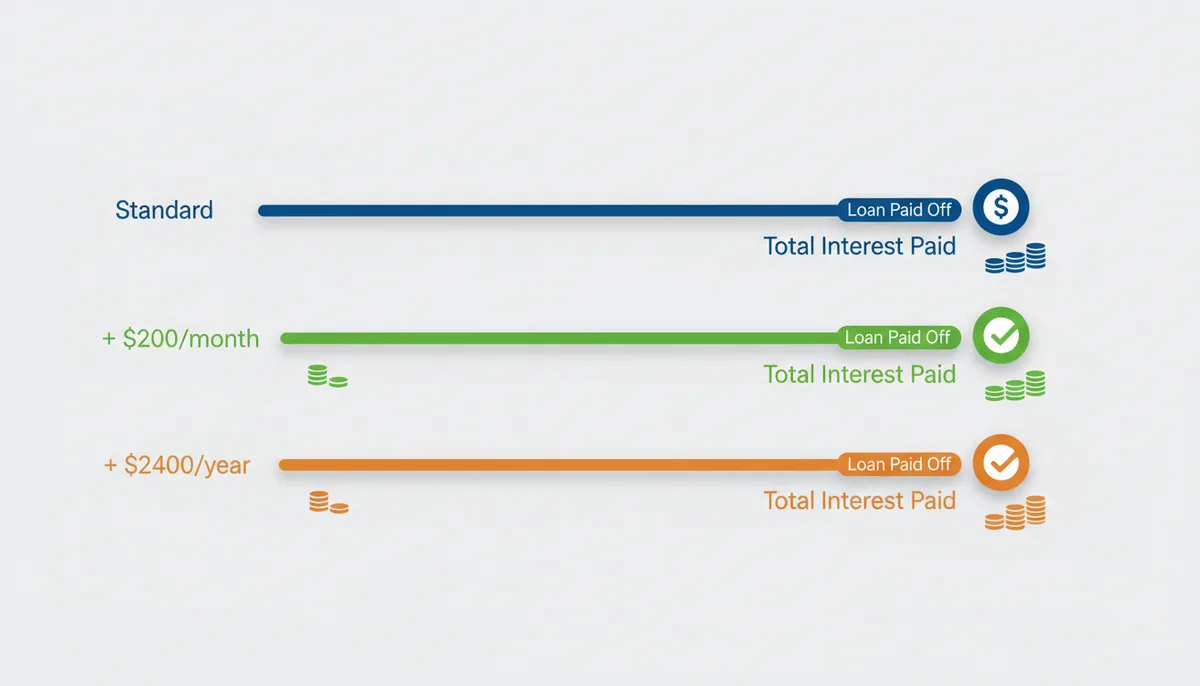
Let’s break down the impact for our $400,000, 6% 30-year loan, using scenarios you can test yourself with CalculatorLine’s mortgage calculator:
| Scenario | Monthly Extra Principal | Total Interest Paid | Loan Paid Off In | Interest Saved vs. Standard Payments |
|---|---|---|---|---|
| Standard Payments | $0 | $463,270 | 30 years | $0 |
| +$200 Extra Per Month (Principal-Only) | $200 | $319,840 | ~24 years 9 months | $143,430 |
| +$2,400 Extra Per Year (One $200 Payment Each Month Total) | $200 (Annualized) | $381,120 | ~28 years | $82,150 |
This table makes it clear: even small, regular extra payments cut years off your loan and save tens of thousands of dollars. The key is to be consistent, and to always specify the extra is for principal only.
Reading Schedules for Different Loan Types
Not all loans have identical amortization schedules. The structure shifts based on your loan type, so you need to adjust how you read it:
- Fixed-Rate Mortgages: This is the standard schedule we’ve covered so far. The interest rate never changes, so every payment’s P&I amount stays fixed for the entire term. The schedule is consistent from first to last payment.
- Adjustable-Rate Mortgages (ARMs): ARMs have a fixed rate for an initial period (often 5, 7, or 10 years), then adjust annually after that. The schedule is accurate only for the initial fixed period. After the rate changes, your lender will generate a new amortization schedule that reflects the new rate. Don’t rely on the old schedule after the adjustment date—it will be wrong.
- Interest-Only Loans: These have a set period (usually 5 to 10 years) where your entire payment goes to interest, with zero principal paid. In your schedule, all principal columns for that period will show $0. After the interest-only period ends, your payment jumps sharply to start paying down principal, so watch your schedule for that date to avoid payment shock.
Common Mistakes When Interpreting Your Schedule
Even simple schedules trip up new homeowners. Here are the three most frequent errors, and how to avoid them:
- Mixing up P&I and PITI: As we covered earlier, the schedule only shows principal and interest. Don’t use that number as your total monthly budget, or you’ll miss escrowed taxes and insurance.
- Believing online calculator schedules are 100% accurate: Online tools like CalculatorLine’s mortgage calculators work for general planning, but they don’t account for per diem interest for partial months (like if you close on the 15th of the month, your first payment only covers 15 days of interest). The lender’s official schedule is always the source of truth.
- Not verifying extra payments are applied correctly: If you send an extra principal payment, check your next monthly statement to confirm your ending balance dropped by exactly the extra amount you sent. Servicers sometimes misapply payments, so this quick check prevents you from losing out on savings.
Using Your Amortization Schedule for Financial Planning
Your schedule isn’t just a record of payments—it’s a strategic tool to hit your financial goals. Here’s how to use it:
- Set a payoff target: If you want to pay off your loan in 20 years instead of 30, use the schedule to see how much extra you need to add to each payment. For our $400k loan, adding $850 extra per month would get you paid off in 20 years and save over $200k in interest.
- Refinance decisions: When considering refinancing, compare the total remaining interest on your current loan to the total interest you’d pay on the new loan. Use the schedule to calculate both numbers—if the new loan’s total interest is lower than what you have left, refinancing is likely worth it.
- Track equity growth: Your ending balance at any date is how much you still owe. Subtract that from your home’s current market value to get your equity. You can pull that number from your schedule for any payment number, so you don’t have to guess how much stake you have in the home.
To test refinance scenarios, you can plug your numbers into CalculatorLine’s financial calculators, which will generate schedules for potential new loans to compare against your current terms.
How Bi-Weekly Mortgage Payments Alter Your Amortization Schedule
Many homeowners hear that switching to bi-weekly mortgage payments can save tens of thousands in interest, but few understand how this changes their official amortization schedule beyond adding an extra payment annually. A standard monthly plan includes 12 total payments a year; a bi-weekly plan requires half the monthly amount every two weeks, which adds up to 26 payments—exactly 13 full monthly payments over one year.
Frequently Asked Questions About Mortgage Amortization Schedules
These are the questions we get most often about reading and using your amortization schedule:
Q: If I make an extra payment, will my next required monthly payment be lower?
A: No, your required monthly payment amount almost always stays the same. The extra funds are applied to the principal, which shortens your loan term and reduces the total interest you'll pay over the life of the loan.
Q: Does my amortization schedule change if my property taxes or homeowners insurance go up?
A: No. Your amortization schedule, which covers only principal and interest (P&I), remains fixed. However, your total monthly payment (PITI) will increase because the tax and insurance portions, held in escrow, have changed.
Q: Is there a penalty for paying off my mortgage early?
A: Most modern mortgages in the U.S. do not have a prepayment penalty, but it's not guaranteed. You must check your original loan documents or contact your loan servicer to confirm if any penalties apply.
Q: Why doesn't the schedule from an online calculator perfectly match my lender's?
A: Your lender's official schedule is based on the exact closing date and includes per diem (daily) interest for the first partial month, which online calculators don't account for. The lender's document is always the correct one to follow.
Q: Can I get an updated amortization schedule after making extra payments?
A: Yes, your loan servicer can provide a 're-amortized' schedule upon request, or you can often view it in your online portal. It will reflect the new, shorter payoff date based on the extra principal you've paid.
Q: What happens to my amortization schedule if I refinance?
A: When you refinance, you are taking out a brand new loan that pays off the old one. You will receive a completely new amortization schedule for the new loan, with a new term, interest rate, and payment breakdown.
Sources
- Consumer Financial Protection Bureau (CFPB) — Definitions of mortgage components like principal, interest, escrow, PITI, and consumer rights regarding loan disclosures.
- Freddie Mac — Information on the home buying process, understanding loan terms, and the benefits of different payment strategies.
- Cornell Law School Legal Information Institute (LII) — The legal basis for lenders providing clear disclosures about loan costs and terms, which includes the information used to build an amortization schedule.
Related reading
- Simple Interest vs. Compound Interest: What Your Investment Calculator Is Actually DoingRead →
- How Your Loan Term Changes Your Monthly Payment and Total InterestRead →
- How Rounding Changes Mortgage, Loan, Currency, and BMI Calculator ResultsRead →
- Why Two Online Calculators Give Different Answers for the Same InputsRead →