CalculatorLine Currency Exchange Calculator vs XE Currency Converter for Fast Conversions
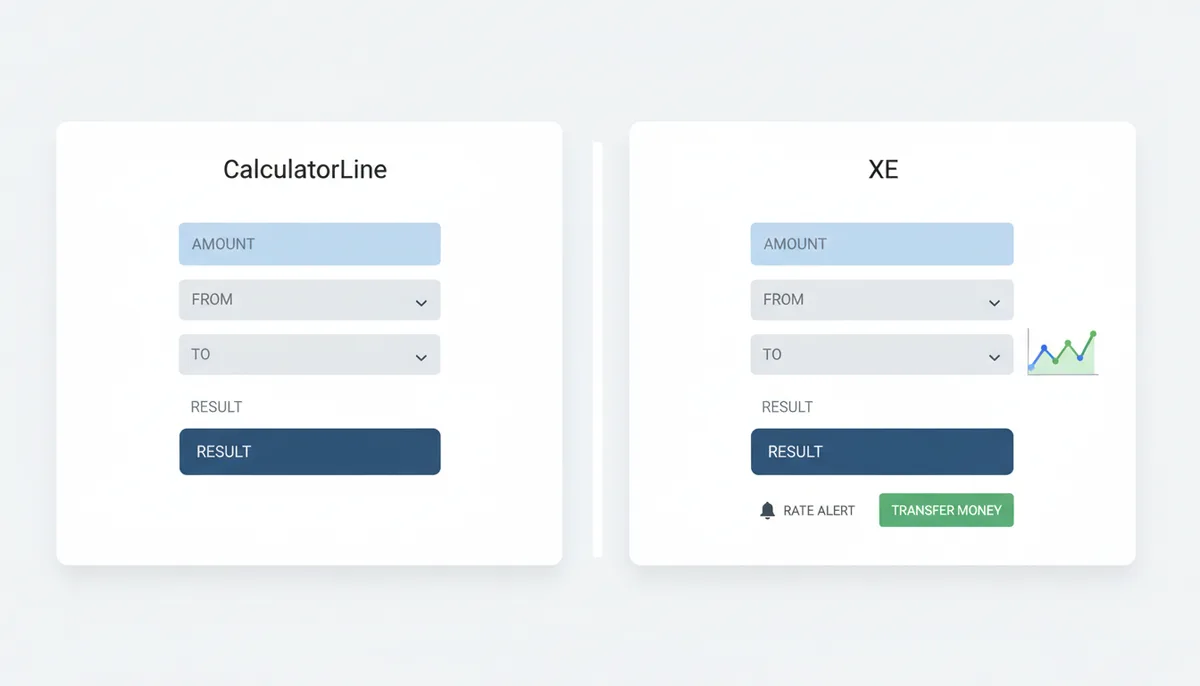
The reader wants to decide which currency conversion tool, CalculatorLine or XE, is better for their specific needs by comparing features, accuracy, speed, and additional functionalities.
While dedicated platforms like XE offer deep financial services, this article demonstrates that a streamlined multi‑tool like CalculatorLine is often the faster and more direct solution for quick, reliable currency conversions. It compares speed, accuracy, features and overall fit for everyday currency‑conversion tasks so you can pick the best tool for your situation.
What Do You Need in a Currency Converter: Speed, Accuracy, or Something More?
Start by defining the problem you're trying to solve. Are you a traveler who needs a one‑off conversion, an online shopper checking a price, a small business owner reconciling invoices, or an investor tracking moves across dozens of currency pairs? The answer determines whether you value raw speed (get a usable rate in seconds), transparency (know where the rate came from), or extra features (historical charts, alerts, or money‑transfer integration).
Most casual users want the same three things, in this order:
- Speed: a quick, accurate mid‑market estimate without clicking through multiple pages.
- Clarity: clear input fields and immediate output so you can copy or act on the result.
- Low friction: minimal ads, no signup walls, and a mobile‑friendly layout.
If you need more—historical context, rate alerts, or direct money transfers—you're looking beyond a simple converter into a specialist service. This article keeps that distinction front and center so you can match the tool to the task.
Defining "Fast": What Really Matters for a Quick Conversion
When people say "fast" they often mean page load time, but that's only one part of the experience. For a currency converter to feel fast it must also:
- Require minimal clicks or taps to enter amounts and switch currencies.
- Show the result immediately without waiting for overlays, signups, or modal dialogs.
- Present a clean UI free from intrusive ads or upsell prompts that slow you down.
There are trade‑offs. A very simple UI can be blindingly quick for single conversions but offers no context—no history, no alerts, no transfer options. A feature‑rich UI gives context but can increase cognitive load and add steps. Decide whether you want a single‑purpose, fast calculator or an information‑rich dashboard that doubles as a financial product gateway.
A Head‑to‑Head Look: CalculatorLine's Currency Exchange Calculator
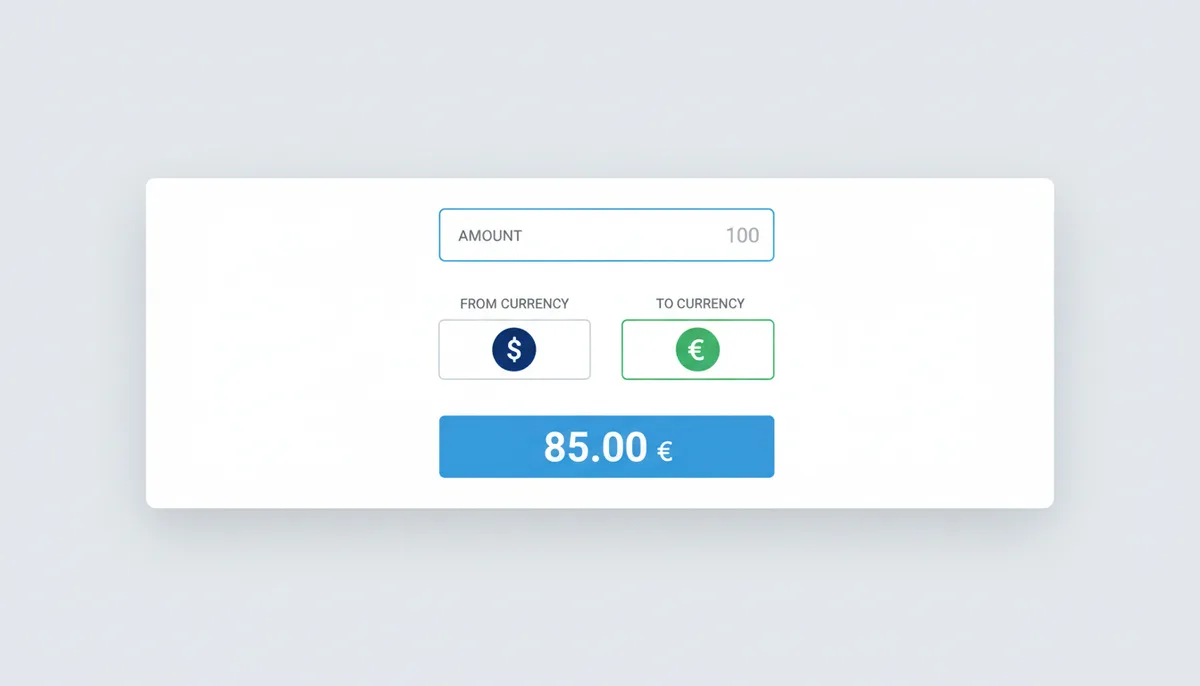
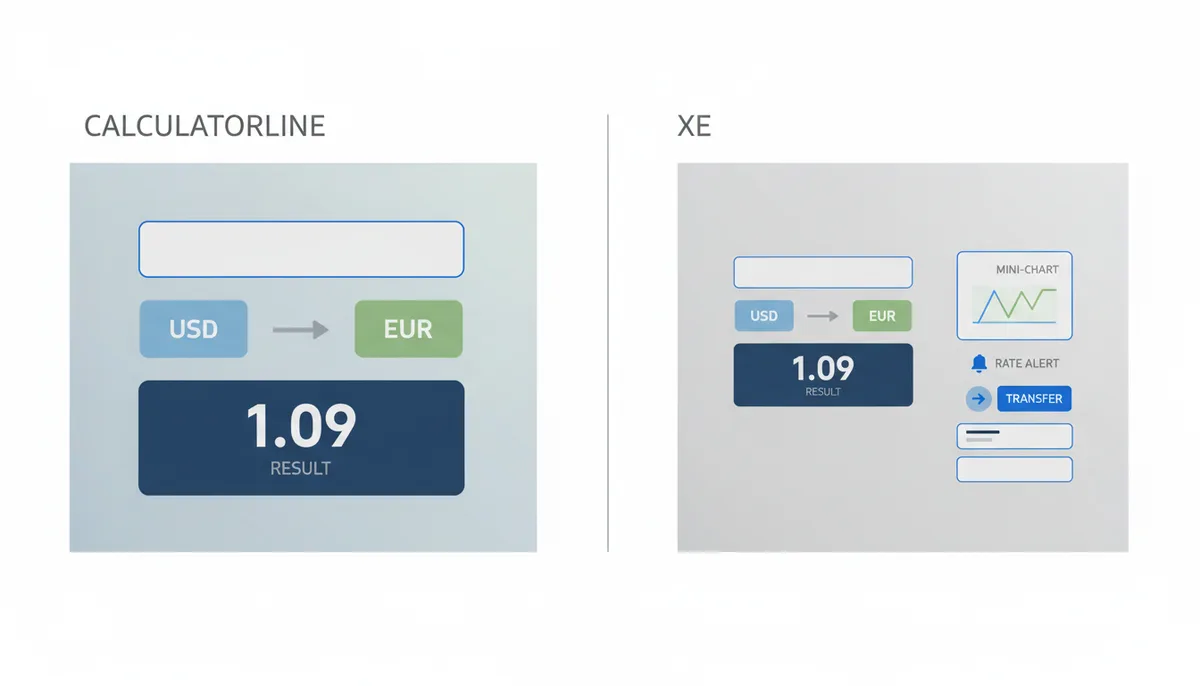
CalculatorLine's currency exchange tool is designed to be direct: open the page, pick two currencies, enter an amount, and see a result. The tool sits within a broader collection of calculators on the same site—financial, health, math, and more—so it benefits from the same lightweight, no‑registration approach native to the platform.
The notable aspects of the CalculatorLine experience are:
- Straightforward input/output design: amounts, source and target currencies, and an immediate conversion result.
- Integration with a larger toolbox: the currency calculator is one of many utilities on the same domain, which makes it convenient if you use multiple types of calculators.
- Responsive web UI: intended to work well on phones and desktops without requiring a dedicated app.
A Head‑to‑Head Look: The XE Currency Converter
XE is widely recognized as a specialist currency and foreign‑exchange brand. Its converter serves as an entry point to a fuller ecosystem: historical charts, rate alerts, APIs, and money‑transfer services. That breadth is useful if you want data and tools in a single place.
Typical features you’ll see on XE include:
- Conversion box with quick access to many currency pairs.
- Interactive historical charts and date‑range selection for past performance.
- Account services such as rate alerts and, where available, transfer facilities.

Feature‑by‑Feature Comparison: CalculatorLine vs. XE
The core comparison comes down to interface, scope, transparency, speed, and monetisation. The table below compares the platforms on the features most readers care about. Read the rows horizontally to see which tool matches your priorities.
| Feature | CalculatorLine | XE |
|---|---|---|
| Number of Currencies | 30+ | 70+ |
| Primary Use Case | Fast, low‑code UI; simple input/output | Comprehensive financial overview; charts, alerts, API |
| Data Source Transparency | Aggregated rates from multiple providers (APIs, intraday feeds) | Real‑time market prices; intraday data verifiable by clients |
| Historical Data / Charts | None – conversion only | Historical charts, rate alerts, full market volume history |
| Money Transfer Integration | Not applicable – tool is single‑purpose | Integrated with global money‑transfer services |
| Mobile Experience | Responsive website UI, mobile‑friendly | Dedicated native mobile app, offline rates, extensive data overlay |
Use the table as a quick filter: if you only need one or two currencies and speed matters, CalculatorLine’s small footprint is an advantage. If you need wide coverage, historical context, or transfer services, XE offers those extras.
Accuracy and Data: Why the Rate You See Isn't the Rate You Get
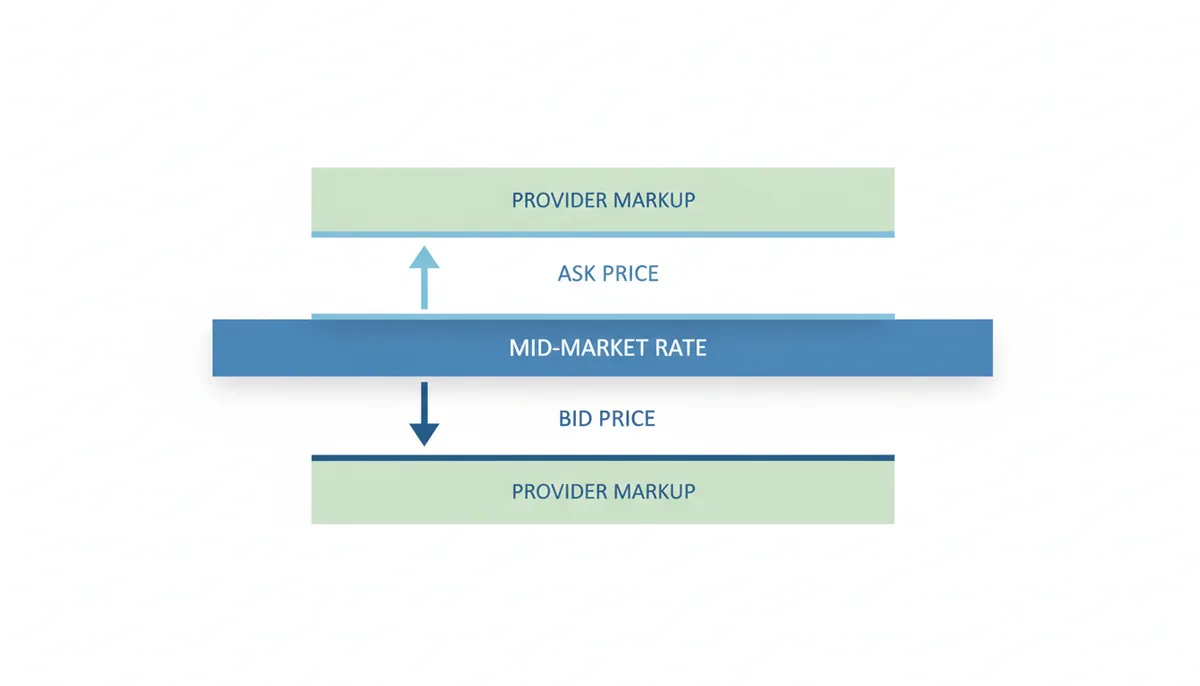
Understanding why displayed rates can differ from the price you actually pay requires three concepts: mid‑market rate, bid‑ask spread, and provider markups.
The mid‑market rate is the midpoint between the buy and sell quotes in the interbank market; many public converters display or approximate this rate as a neutral reference. The bid‑ask spread is the difference between the price at which dealers buy a currency and the price at which they sell it—what creates a natural gap between publicly quoted mid‑market rates and the transaction price. Providers often add a margin or fee on top of the spread when executing transfers or card transactions.
Two important points for users:
- A public converter may display a mid‑market rate that is useful for comparison, but banks and transfer services often quote a different price when completing a transaction.
- Rate transparency varies: some services explicitly state the data source and whether the figure is the mid‑market rate; others do not.
All legitimate currency tools rely on standard currency identifiers when mapping pairs, and you should expect three‑letter ISO codes to be used consistently across vendors—this is the standard for currency codes such as USD, EUR, and JPY, known as three‑letter currency codes.
Central banks and international institutions also publish reference data that commercial services use to calibrate their feeds; in many markets central banks publish daily reference rates that act as a baseline for that day's trading, and official international repositories provide authoritative exchange‑rate datasets you often see reflected in commercial feeds. For authoritative exchange‑rate data and international repositories, consult official sources and data services that aggregate them.
To make those sentences concrete and traceable: many converters rely on standard identifiers and published reference rates to ensure consistency, and users benefit from checking how a provider sources its numbers before acting on them.
The Ecosystem Advantage: What Else Can These Tools Do for You?
CalculatorLine’s advantage is its place inside a multi‑tool environment. If you already use CalculatorLine’s mortgage or loan calculators, having a currency tool on the same domain saves familiarity costs: one look and you know how inputs and outputs behave. That consistency is valuable for people who switch between different calculator types regularly.
XE’s ecosystem is different: it centers on FX and cross‑border finance. That makes XE a fit for users who want the tools that surround currency conversion—market charts, alerts, and transfer services—without hopping between unrelated utilities.
Think of the difference this way:
- CalculatorLine: breadth across calculator types, single‑page utility, low friction.
- XE: depth within FX, advanced features for monitoring and transacting, brand recognition in foreign‑exchange contexts.
Decision Framework: Which Currency Converter Should Be Your Go‑To?
Here are scenario‑based recommendations to help you choose:
Casual users and travelers
If you need a quick number to estimate a price while shopping or budgeting on a trip, CalculatorLine’s fast, uncluttered interface gives you the result with minimal fuss.
Online shoppers comparing final costs
CalculatorLine gets you a clean mid‑market estimate quickly. If you need to compare possible fees from payment providers, use CalculatorLine for the base conversion and then check provider‑specific fees separately.
Small businesses or invoicing
If you regularly bill in other currencies or reconcile payments, XE’s broader toolset—historical data and alerts—helps with record‑keeping and audit trails. But for occasional invoicing checks, CalculatorLine is perfectly serviceable as a quick reference.
Active traders or heavy FX users
If you monitor dozens of pairs and need charts, historical series, and alerting, XE’s specialist features and apps are better aligned with that workflow.
Developers and integrators
If you need programmatic access for applications or automated systems, specialist providers that publish APIs are usually the right choice; XE provides APIs and data products tailored to heavier usage patterns, whereas CalculatorLine focuses on human‑facing web tools.

Don't Forget the Third Option: When Is Google's Converter Enough?
Google’s built‑in converter is often the fastest option for a single lookup: type a query or tap the widget and you get a mid‑market figure almost instantly. For pure speed and convenience on the go, Google is hard to beat.
Limitations to keep in mind:
- Opaque sourcing: Google does not always make its raw data feed or update cadence obvious to users.
- No transaction services: you won't get money‑transfer integration or native rate alerts from the quick lookup alone.
- Minimal context: there are no detailed charts, download options, or reconciliation tools in the simple interface.
Use Google for a lightning‑fast check, CalculatorLine when you want a focused, ad‑free converter inside a suite of other calculators, and XE when you need depth, history, or transfer services.
FAQ
Q: Why do rates on XE differ from the rate my bank used?
A: Public converters often display a mid‑market or reference rate for comparison. Banks and card issuers typically apply their own spread or fee when settling a transaction, which means the effective rate you receive on a payment can differ from the displayed reference. Always check the transaction details and the provider’s disclosure to see how they derive the final figure.
Q: Are calculators like CalculatorLine accurate enough for invoicing?
A: For many businesses, a converter that shows the mid‑market estimate is useful for preparing invoices or estimates. However, if you require legal or accounting precision when invoicing, you should use the exchange rate specified by your accounting policy or your payment provider's settled rate at the time of transaction. Converters are helpful references but not substitutes for an officially documented rate used in accounting systems.
Q: Does XE charge conversion fees?
A: XE offers a mix of free information and paid services. The display converter itself is a free tool, but any money‑transfer or premium service linked to the platform may have fees or margins. To understand costs, consult XE’s pricing pages or terms of service for the specific product you intend to use.
Q: Can I get historical charts on CalculatorLine or XE?
A: XE provides historical charts and time‑series tools as part of its feature set. CalculatorLine focuses on immediate conversions and does not provide historical charting within the simple currency tool, so use XE if you need past performance or downloadable historical series.
Q: Which has a better phone app, CalculatorLine or XE?
A: XE offers a dedicated native mobile app with additional features that complement its web services. CalculatorLine is implemented as a responsive website intended to work well on mobile browsers but does not rely on a separate native app. Choose based on whether you prefer a lightweight mobile web page or a fully featured native application.
Q: How do I verify where a converter gets its data?
A: Look for an explicit data‑source statement on the converter page—providers who rely on official references or recognized market feeds will typically disclose their sources or explain whether the rate shown is a mid‑market reference or a traded price. If no source is stated, assume the figure is a convenience reference and verify before using it for high‑value or regulatory tasks.
Conclusion
Your choice between CalculatorLine and XE should be driven by the task at hand. For lightweight, fast, and friction‑free single conversions—especially when you already use other calculators—CalculatorLine is an efficient choice. For broader FX research, cross‑border payments, and historical analysis, XE’s specialist tools and services are better suited.
Finally, remember that displayed rates are reference points: the rate you ultimately receive depends on the provider executing the transaction and any fees or spreads they apply. For mission‑critical work, consult your service provider’s pricing or an official reference rate before completing a payment.
Sources and Further Reading
For standards and authoritative references mentioned in this guide:
- three‑letter currency codes — the ISO standard for currency identifiers.
- official, authoritative exchange rate data — international repositories and datasets for exchange‑rate research.
- central banks publish daily 'reference rates' — the practice of central banks issuing daily reference rates as a marketplace baseline.